
Fire TV · Android TV · Sideload
Kids Meal Mode
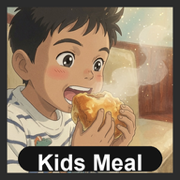
Kids Meal Mode is a Fire TV / Android TV experiment that helps children keep eating during screen time with friendly timed bite prompts, parent-confirmed meal completion, and positive early-finish rewards.
The current build targets Fire TV Cube and Android TV streaming devices. It pauses video at a configurable interval, shows a kid-friendly bite prompt, resumes playback, and protects meal-mode exits with a configurable 4-digit parent PIN.
Best supported: Fire TV Cube. Other Android TV devices may install successfully but have not received the same family testing.
- Package:
com.kidsmealmode - Current family sideload build:
1.0.13(versionCode 14) - Primary distribution: personal / family ADB sideload (not on the Amazon Appstore)
- Status: Phase 1 complete
Status: Phase 1 complete (family-usable on Fire TV)
Phase 0 delivered a working Fire TV MVP. Phase 1 finished product iteration on real devices: UX polish, parent-gated flows, max meal timer, and a tested streaming-app compatibility matrix.
Working today
- Configurable bite interval and pause duration
- Parent PIN protected stop / exit / settings / completion flows
- Fullscreen bite prompt with reliable resume path on supported apps
- Persistent meal-mode indicator (pulsing dot + icon) while active
- Early-finish rewards: uninterrupted screen-time timer or piggy-bank credit
- Reward thank-you screen; PIN not re-prompted when already authorized on the piggy path
- Configurable max meal duration with end-of-meal parent confirmation
- Soft TV focus styling for D-pad navigation
- Fire-gray square launcher icon tuned for sideload home-row tiles
- Local FastAPI / WebSocket server scaffold for upcoming LAN vision validation
- Public APK for personal / family sideloading; source remains private
Distribution and store outlook
Sideload remains the intended path for the full product (overlay indicator, cross-app media pause/resume, long-running meal service). Amazon Appstore approval is uncertain for this architecture: draw-over-other-apps and controlling other apps’ media are high-friction for review. A store “lite” build would need a different product shape. That is fine. The experiment is useful as a family sideload tool first.
Download & install (public APK)
The Fire TV APK is publicly available for sideloading. The application source code remains private.
Download Kids Meal Mode APK
· package com.kidsmealmode · build 1.0.13
Direct link: https://scalinghuman.ai/downloads/KidsMealMode-firetv-debug.apk
SHA-256: f1c95f6a0d452e41779e58cd8ce74a7a2e8b21f3cea0369338286592d4eda368
Install on Fire TV with ADB
- On Fire TV: Settings → My Fire TV → Developer options, then enable ADB debugging. Allow installs from unknown sources if prompted.
- Note the TV IP under About → Network.
-
On a computer, install
Android platform-tools
(
adb), then:adb connect <fire-tv-ip>:5555 adb install -r KidsMealMode-firetv-debug.apk - Open Kids Meal Mode on the Fire TV and grant Display over other apps.
Default parent PIN: 1234 (change in Settings after PIN entry).
Use a supported streaming app for pause/resume (see compatibility matrix
below).
Streaming App Compatibility
Kids Meal Mode uses standard Android media key events
(MEDIA_PAUSE / MEDIA_PLAY) rather than
app-specific automation. Support depends on each streaming app honoring
standard media playback controls. Matrix from real Fire TV testing at Phase
1 close-out:
Confirmed working
| App | Status | Notes |
|---|---|---|
| YouTube | Supported | Pause and auto-resume work on Fire TV. |
| Prime Video | Supported | Pause and auto-resume work on Fire TV. |
| Max (HBO Max) | Supported | Pause and auto-resume work on Fire TV. |
| Peacock | Supported | Pause and auto-resume work on Fire TV. |
| Apple TV | Supported | Pause and auto-resume work on Fire TV (Apple TV app). |
| The Roku Channel | Supported | Pause and auto-resume work on Fire TV. |
Confirmed not working
| App | Status | Notes |
|---|---|---|
| Netflix | Not supported |
Does not reliably auto-resume after the bite prompt; often lands on
a title/resume screen and ignores MEDIA_PLAY.
Accessibility workarounds were tried and removed (unreliable on
Fire OS).
|
| Paramount+ | Not supported | Pause/resume via standard media keys does not work reliably on Fire TV. |
Untested
| App | Status | Notes |
|---|---|---|
| Disney+ | Untested | Not validated yet. |
| Hulu | Untested | Not validated yet. |
| Tubi / Pluto TV / Freevee | Untested | Not validated yet. |
| Plex / Jellyfin | Untested | Not validated yet. |
| Other apps | Untested | Assume unsupported until tested. |
Source & distribution
APK: public download above for personal / family sideloading on Fire TV.
Source code: remains private. This page tracks product status and compatibility only; implementation is not open-sourced at this time.
Roadmap
Phase 1 - Fire TV Product Iteration ✅ Complete
Family-usable Fire TV build with parent-gated flows, UX polish, max meal timer, and an honest streaming compatibility matrix (see above).
Phase 2 - Local Vision Validation on LAN
Validate a local vision model on the home network. The Fire TV app remains the overlay and media-control client; a LAN server handles bite detection over WebSocket. Timer mode remains the fallback. Camera frames and inference stay local.
Phase 3 - Private Distribution
Versioned APK builds for friends and family with Android-based Fire TVs. Short install guide, changelogs, known issues, and clear unsupported-app expectations (Netflix, Paramount+).
Phase 4 - Fire TV Appstore (optional / hard)
Only if a review-safe product shape emerges (likely without overlay + cross-app media control, or with strong justification). Release signing, listing assets, privacy policy, and permission disclosures required.
Phase 5 - Google Play for Android
Android TV / Google TV first, then tablets and phones if the product shape fits. Overlay policy risk remains.
Phase 6 - Apple Platform Exploration
iPadOS / iOS / tvOS may follow later, most likely in companion, camera, or parent-dashboard roles than a direct Fire TV overlay port.
Cross-Phase Principles
- Parent control always wins.
- Keep kid-facing flows positive, simple, and hard to accidentally exit.
- Keep vision local-first and privacy-preserving.
- Do not claim streaming-app support until tested.
- Do not reintroduce accessibility automation unless it becomes reliable and policy-safe.
- Prefer honest sideload distribution over a compromised store build.
Notes
- Designed for parent-supervised mealtimes.
- AI validation (when added) is assistive and does not replace parent judgment.
- Camera and vision work should prefer local-network / local-processing paths.